Wealthbox Launches Developer Portal for AI Assistant Integrations
October 27, 2026 · 3 min read
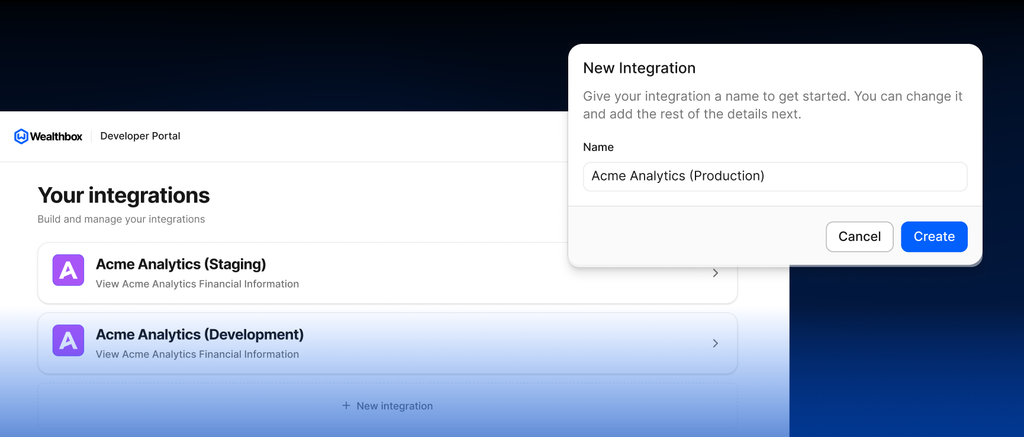
Wealthbox is making it easier for technology partners to build integrations that work with the Wealthbox AI Assistant. With the new Wealthbox Developer Portal, partners have a dedicated way to configure, test, and submit AI integrations, expanding how financial advisors can work with their favorite technology tools directly from Wealthbox.
Built around the Model Context Protocol (MCP), an open standard that lets AI tools securely connect to external applications, the Developer Portal provides a streamlined process for connecting third-party applications to the Wealthbox AI Assistant. By making it easier for partners to develop integrations, Wealthbox is laying the groundwork for a growing ecosystem of AI-powered workflows that bring more advisor technology into the CRM.
Integrations from Holistiplan and Nitrogen are already available, giving advisors access to tax planning insights and risk analysis directly from the AI Assistant.
Making It Easier for Partners to Build with Wealthbox AI
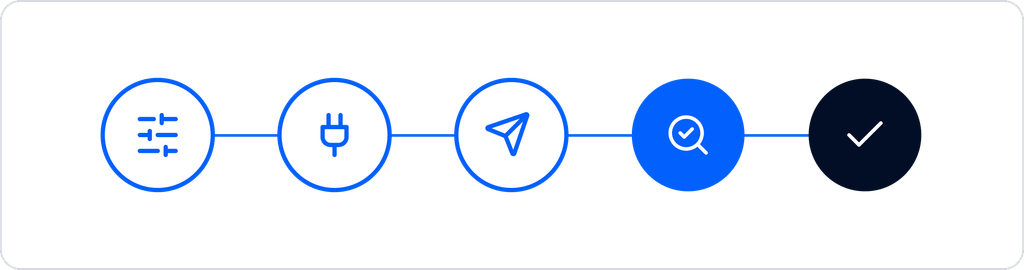
The Developer Portal gives technology partners greater control over the integration development process, from initial configuration through submission for review.
Partners can configure their own MCP connections, establish authentication settings, test connectivity, and verify the tools their integrations make available to the Wealthbox AI Assistant. Once an integration is ready, partners can submit it to Wealthbox for review and approval.
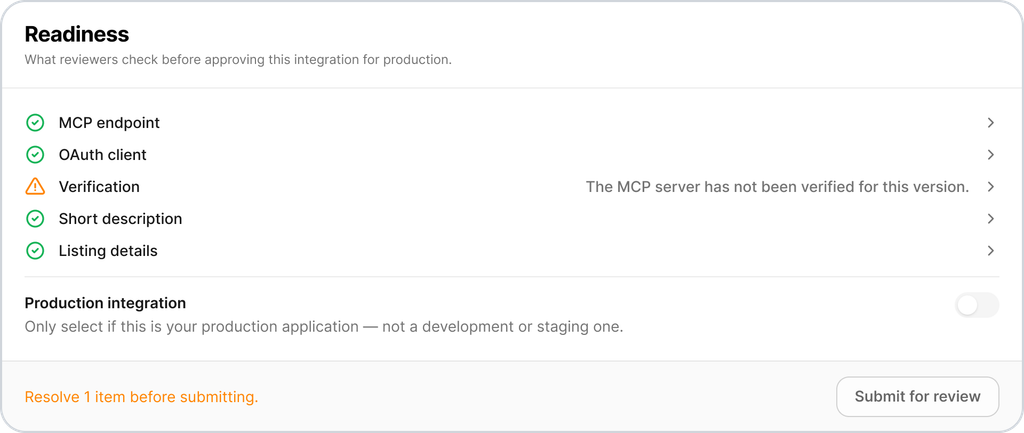
The process simplifies integration development while maintaining Wealthbox’s standards for quality, security, and the advisor experience.
Through the Developer Portal, partners can:
- Configure AI integrations. Set up MCP server connections and authentication settings.
- Test and validate connections. Verify that Wealthbox can connect to their platform and discover the tools available through the integration.
- Submit integrations for review. Send completed configurations to Wealthbox for evaluation before release, and manage multiple integrations from one partner-facing experience.
Bringing More Advisor Technology Into the AI Assistant
For financial advisors, the Developer Portal supports a broader vision: making the CRM a central place to access information and complete work across connected applications.
As more technology partners build AI integrations, advisors will have additional opportunities to use natural language prompts to work with data and tools from across their technology stack, rather than navigating between applications.
Once an integration is available, advisors can connect their accounts through Wealthbox settings and authorize AI access. The AI Assistant can then use the tools the partner integration makes available, subject to the permissions of the advisor’s account in the connected application. For actions that may modify data, the AI Assistant first asks for the advisor’s approval.
This approach combines the convenience of AI-powered workflows with advisor control over connected applications and actions. As with any AI-generated content, advisors should review outputs, including those from third-party integrations, before using them in client recommendations or communications.
Get Started with the Wealthbox Developer Portal
Technology providers interested in building AI integrations with Wealthbox can begin by connecting with the Wealthbox Partnerships team. Following onboarding, approved partners receive access to the Developer Portal to configure, test, and submit their integrations for review.
The Developer Portal gives technology partners a new way to extend their capabilities into the Wealthbox AI Assistant, helping create a more connected experience for financial advisors.