
New in Wealthbox: Flyout Panels
August 21, 2019 · 3 min read
Time Flies in Wealthbox

We’re happy to release a significant enhancement to the overall usability of Wealthbox. It will save advisors time. Introducing flyout panels.
Flyouts are user-interface panels in Wealthbox on the right-side that allow you to view, edit, and act on CRM information in visual context, without having to navigate to another page and losing your place.
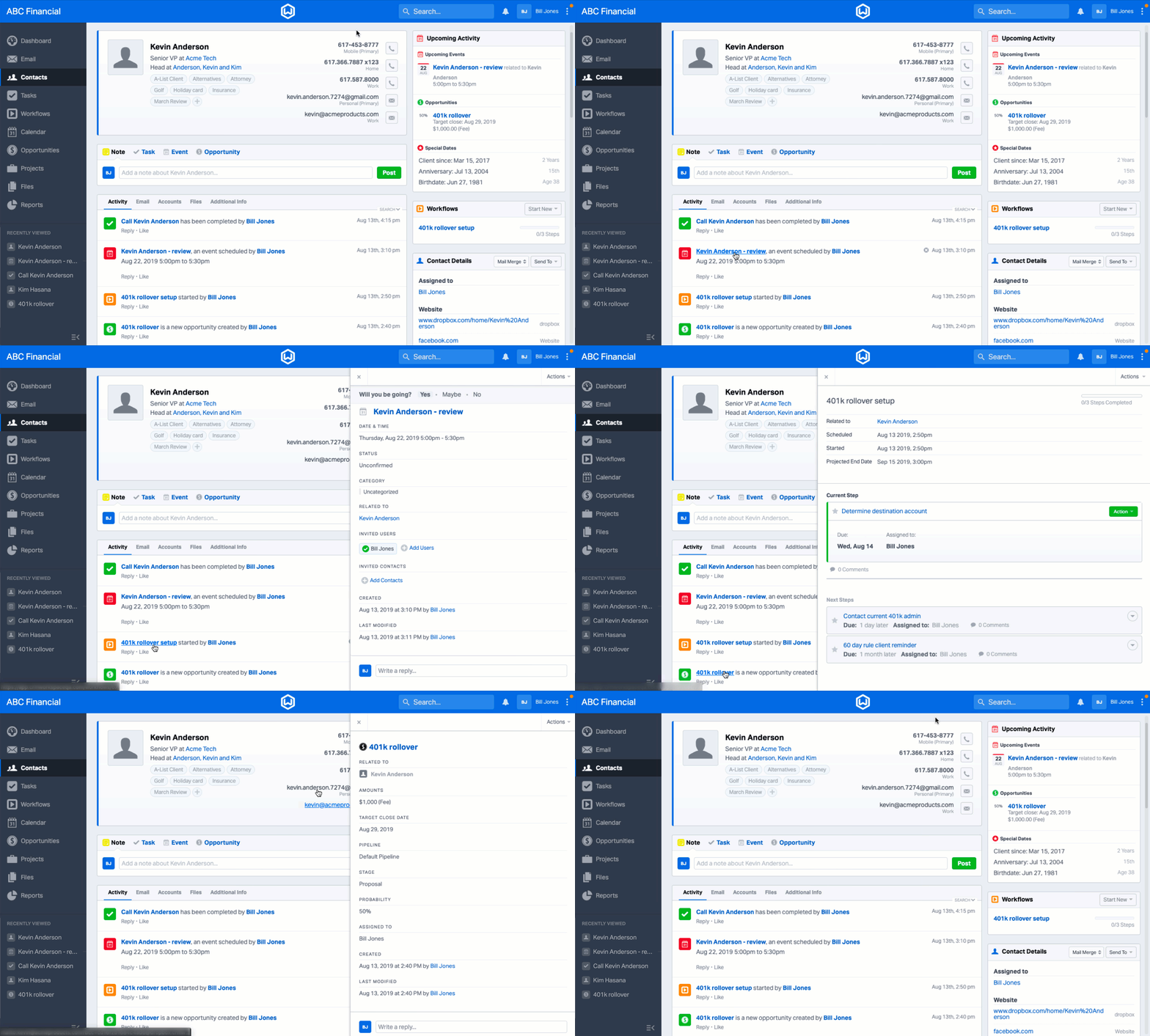
This is actually a big enhancement that we quietly released a week ago, and wanted to gauge user reactions. The positive responses from our eagle-eyed power users has been amazing. While you might not think about it every day, context-switching wastes lots of time and energy, and flyouts solve this. They let you see more information without losing your place.
For example, let’s say you’re working through your tasks for the day and you have one called “Call Kevin Anderson.” Previous to this enhancement, you’d be taken to the task page if you clicked on it.
With the new flyout panel, you can click on Kevin Anderson’s name from the tasks page to immediately view his information. From there, you can access contact details, tags, click-to-call, email, as well as special dates, custom fields, and more.
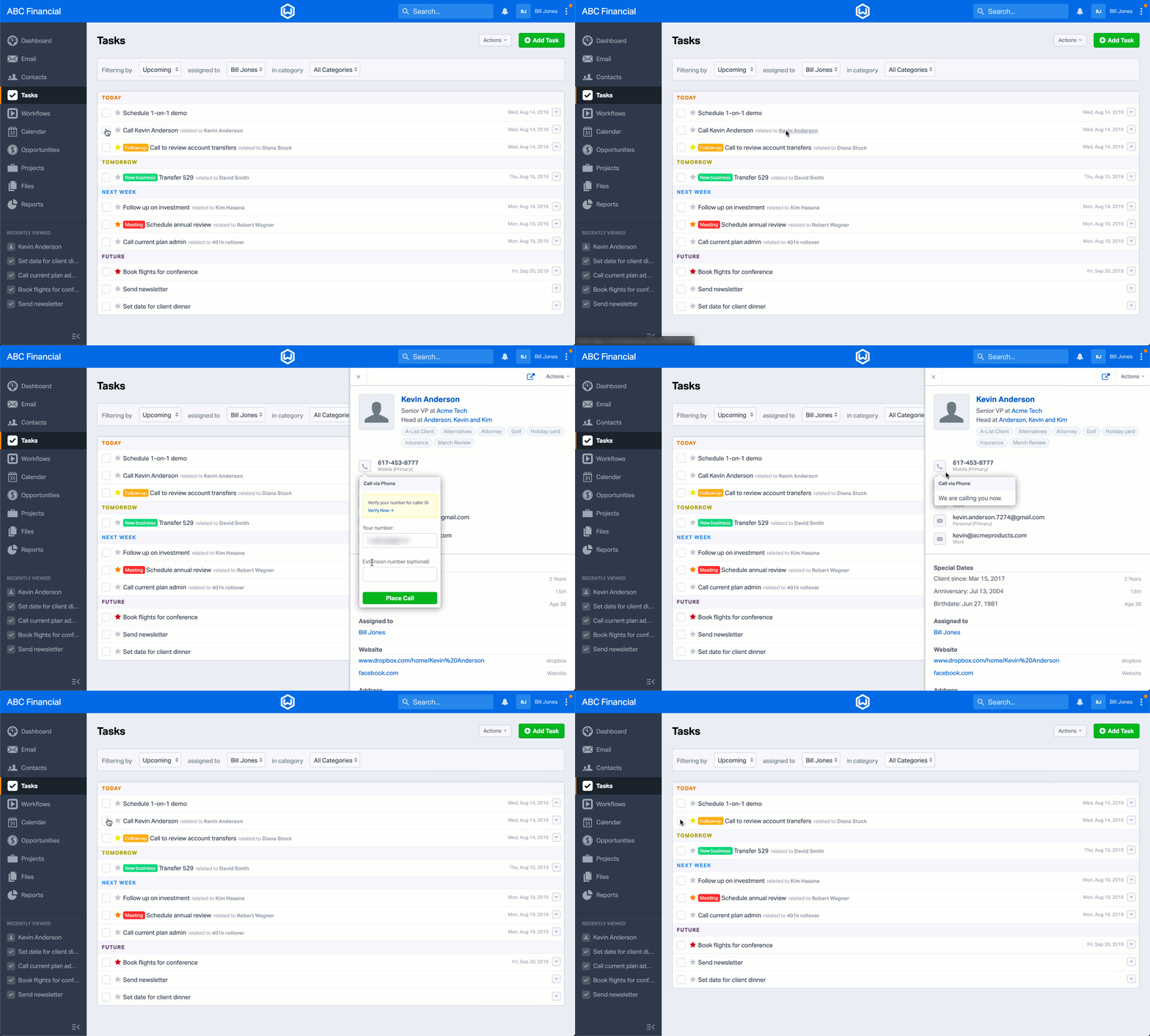
It’s easy to view the full contact record page from a Contact flyout too. Just click the “Go to Contact” button.
Flyouts are supported for Contacts, Tasks, Events, Workflows, Opportunities, and Wealthbox Mail, and they’ll even launch from Reports!
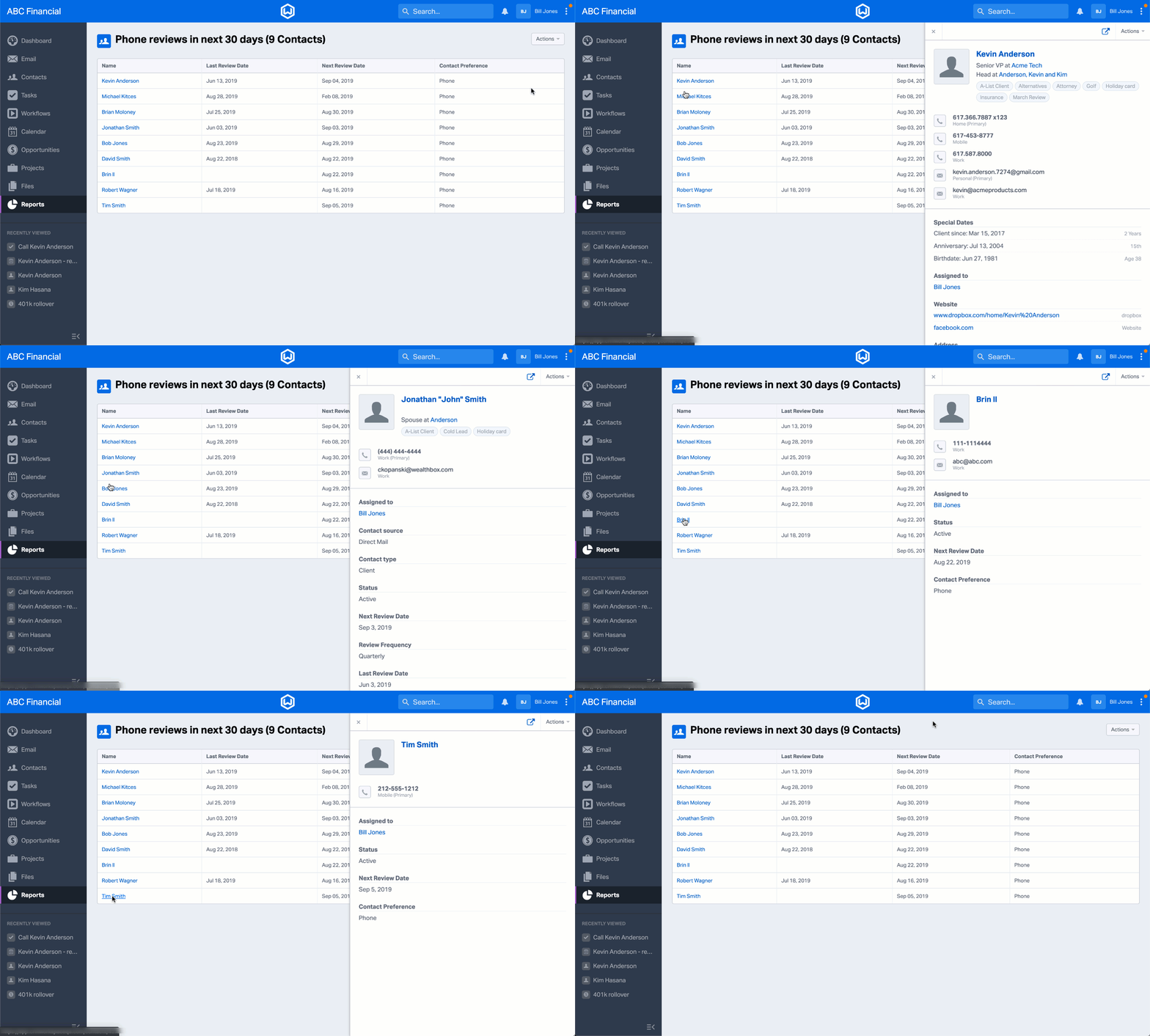
How will flyouts save you time?
- When you’re viewing a household and you want to see an individual family member’s phone number
- When you’re working on some tasks for a client and you need more details
- When you’re working through your calls or emails from a “stay in touch” report
- When you want to quickly view details about an opportunity from the dashboard, open a flyout
- When you see a workflow step assigned to you on the Activity Stream
- When you’re reading emails from Wealthbox Mail on a contact record page
Our customers didn’t ask for this enhancement, yet we thought it was about time. Enjoy the time saved to spend with your clients!
Advisors: Not a Wealthbox user? Start a 14-day free trial. It’s about time – yours!