Introducing Cross-Workspace Reporting
June 29, 2026 · 4 min read
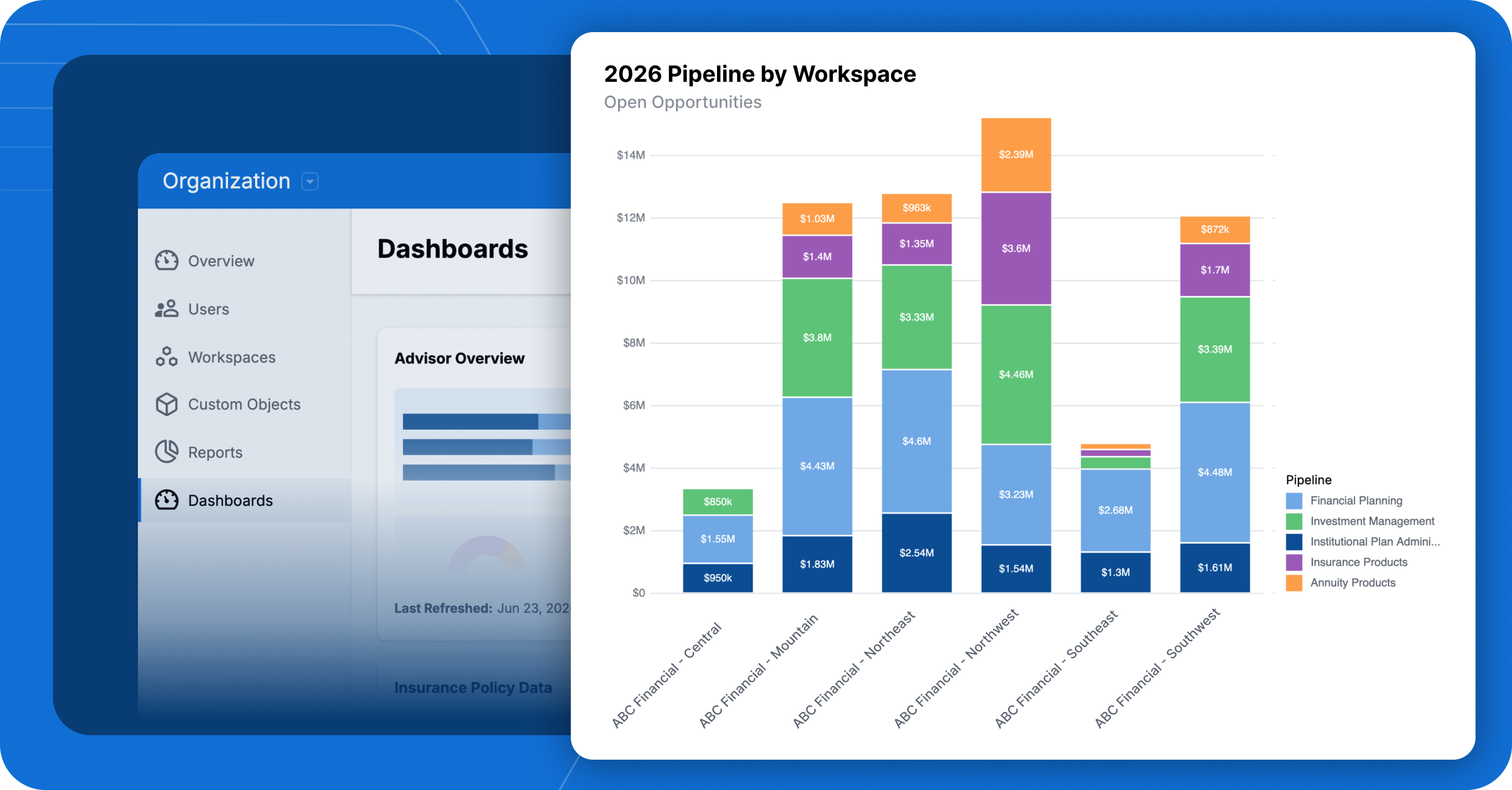
As firms grow, so does the complexity of managing information across teams, departments, and workspaces. For home office teams supporting advisors across multiple locations, gaining a complete view of firmwide activity becomes increasingly important.
Wealthbox has long provided powerful reporting and dashboard capabilities within individual workspaces, helping teams track activity, monitor performance, and stay organized. As organizations expand, home office users often need visibility across multiple workspaces to better understand performance, identify trends, and support advisors across the firm.
Today, we’re excited to introduce Cross-Workspace Reporting, a new capability that enables authorized home office users to analyze and visualize data across every workspace in their Wealthbox subscription.
See the Bigger Picture
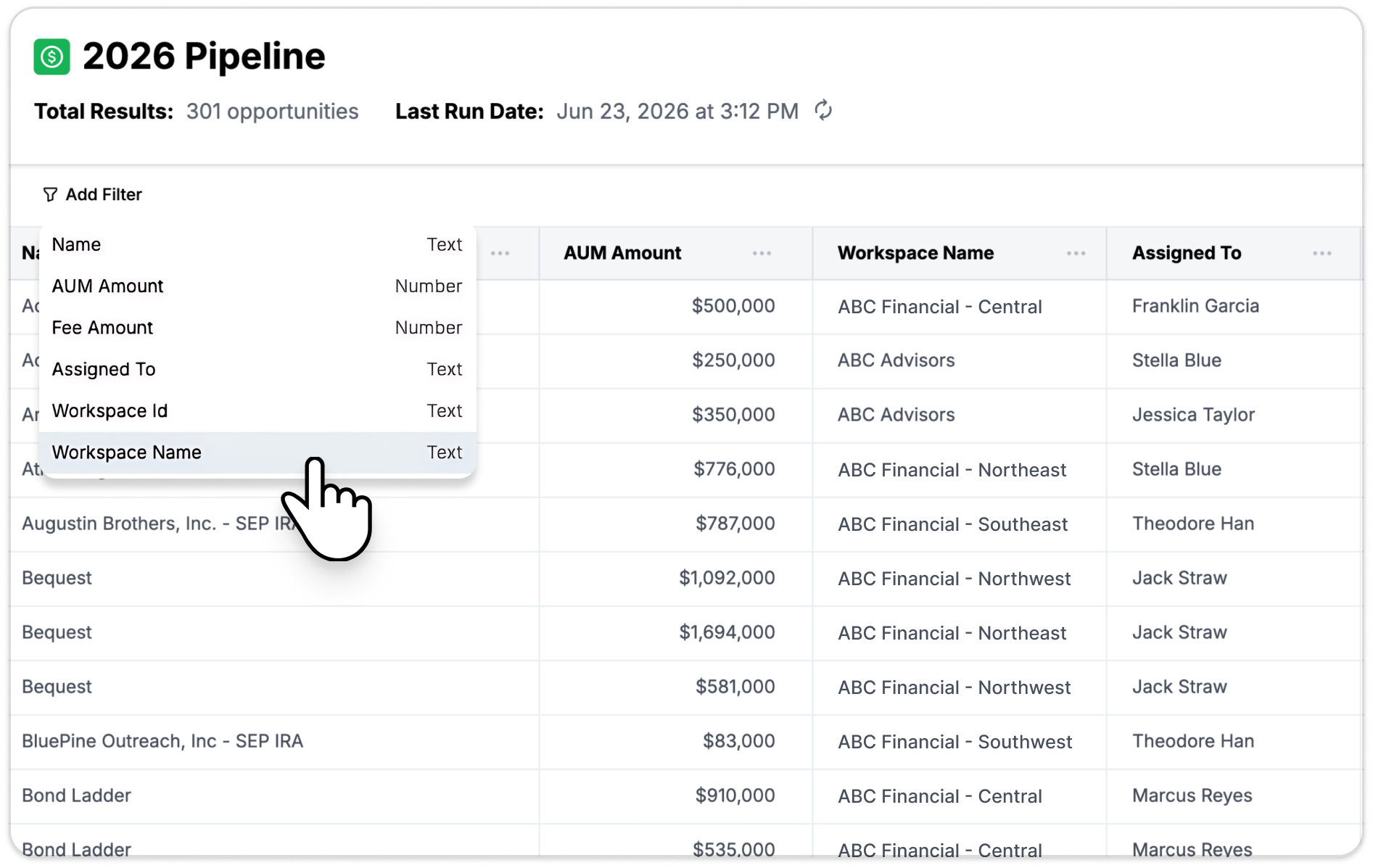
Cross-Workspace Reporting aggregates data from every active workspace in your Wealthbox subscription into a single report.
Instead of manually gathering information from multiple teams or comparing reports workspace by workspace, Organization Reports automatically combine the data into a unified view.
Whether you’re tracking client growth, advisor activity, opportunities, workflows, meetings, or custom records, you can now analyze performance at the organizational level.
Supported Report Types
Cross-Workspace Reporting supports:
- Contacts
- Events
- Meetings
- Notes
- Opportunities
- Tasks
- Workflows
- Workflow Steps
- Projects
- Files
- Investment Accounts
- Custom Objects
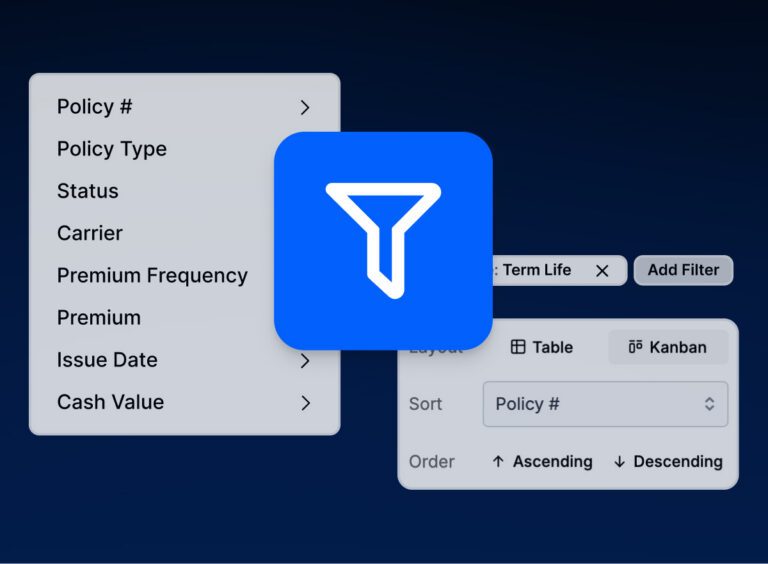
Each report can be configured using the same familiar Wealthbox reporting tools, including filters, selected fields, and visualization options. Cross-Workspace Reporting also includes our AI-powered report builder, allowing users to create reports using natural language.
Multiple Ways to View Your Data
Organization Reports can be viewed directly within Wealthbox using:
- Table views
- Chart views
- Hybrid views
Reports can also be exported in:
- CSV format
- XLSX format
Exports include workspace-level metadata, making it easy to perform additional analysis outside of Wealthbox when needed.
Turn Reports Into Executive Dashboards
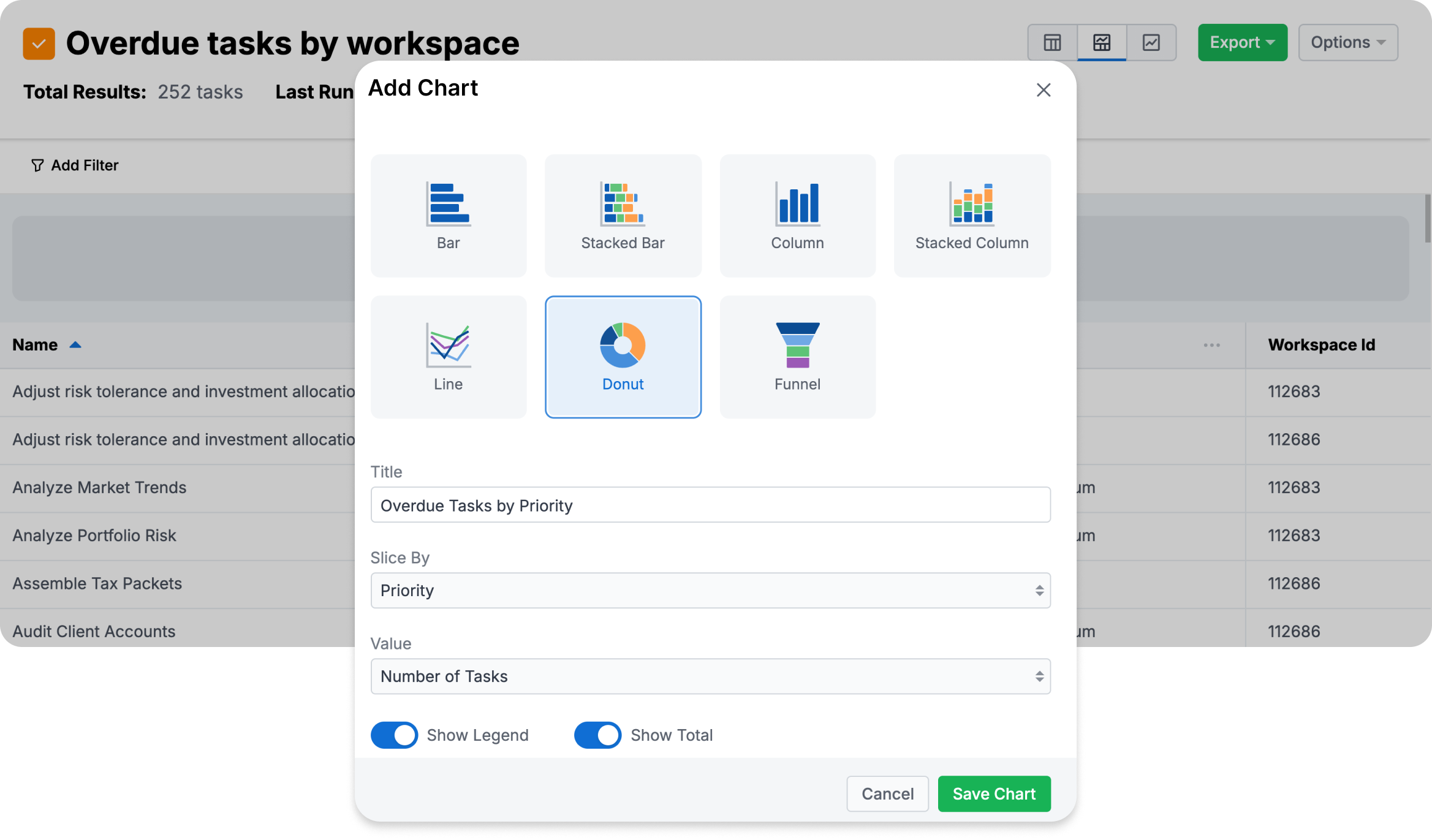
Executive dashboards are powered by the same Cross-Workspace Reporting engine, giving administrators a visual way to monitor performance across the entire firm. These dashboards bring together data from every workspace into a centralized view of firmwide activity.
Create Firmwide Dashboards
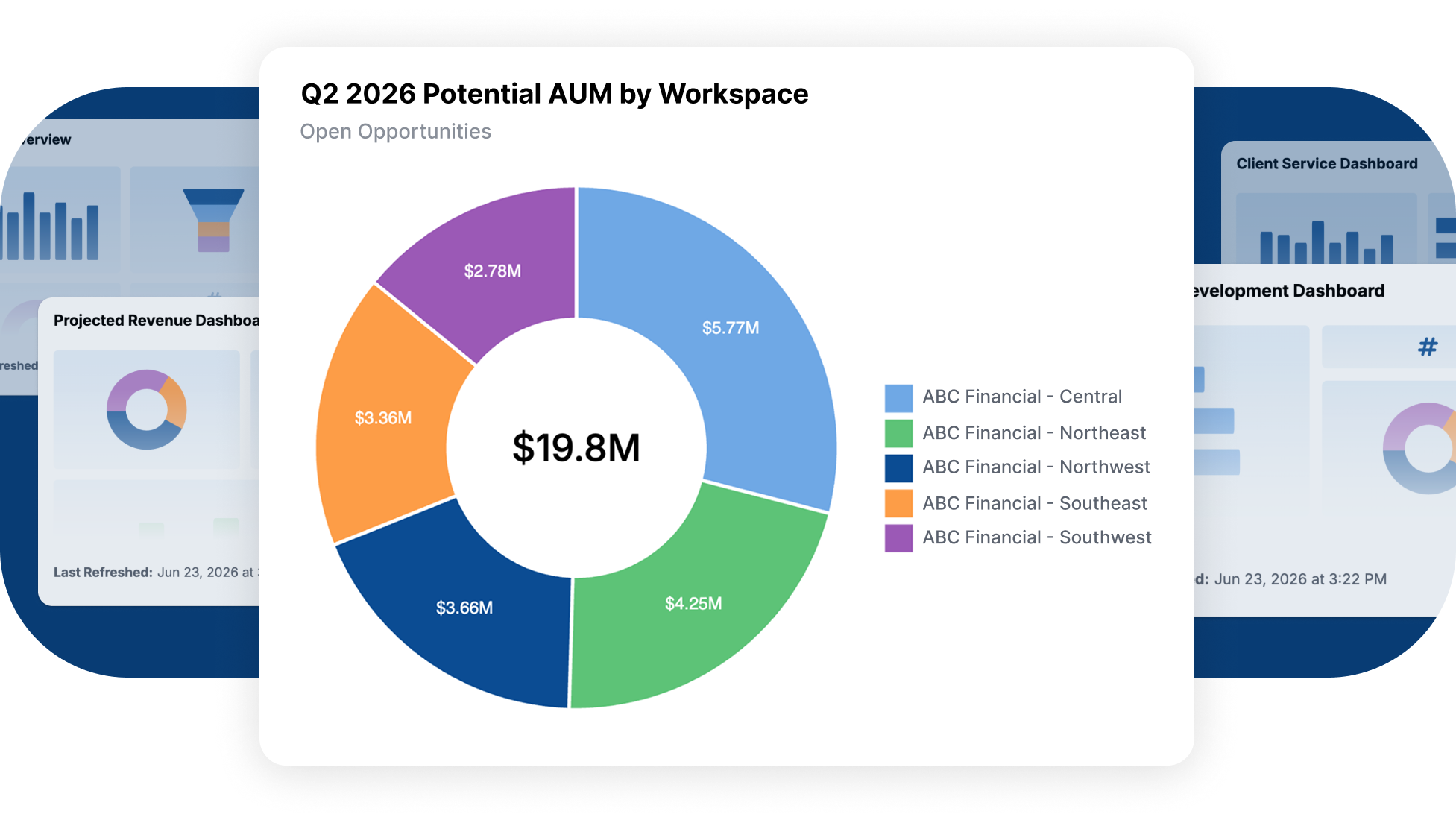
Executive Dashboards allow administrators to:
- Assemble dashboards using data from every workspace
- Monitor performance trends across teams
- Visualize key metrics in charts and graphs
- Create executive-level reporting views
- Refresh dashboard data on demand
Available Widget Types
Executive Dashboards currently support:
Chart Widgets
- Bar charts
- Line charts
- Donut charts
- Additional chart visualizations powered by Organization Reports
Static Big Number Widgets
- KPI-style metrics
- Executive summary statistics
- Custom headline figures
Built for Growing Organizations
For firms operating multiple business units, locations, advisor teams, or departments, Cross-Workspace Reporting helps answer questions such as:
- How many new opportunities were created across the firm this quarter?
- Which teams are completing workflows most efficiently?
- How many client meetings occurred across all offices last month?
- What is the distribution of tasks, projects, or activities across the organization?
- How are custom business processes performing across teams?
Rather than piecing together information from separate workspaces, firm leaders can access a consolidated view in one place.
Access & Permissions
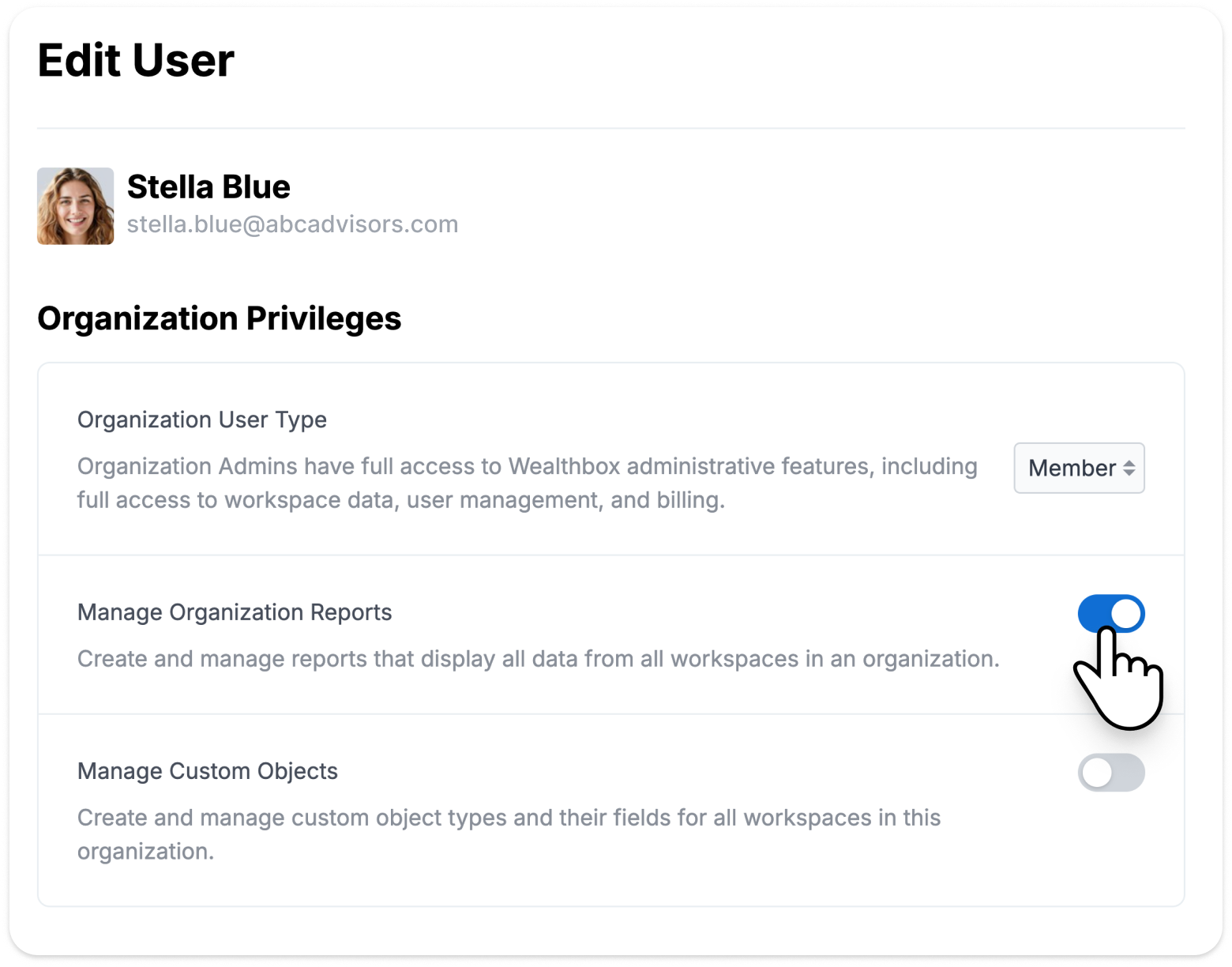
Cross-Workspace Reporting is managed from the new Organization section in Wealthbox. This centralized area is where Organization Admins manage firmwide settings and reporting capabilities that span every workspace within a subscription.
Because Cross-Workspace Reporting provides visibility across all workspaces, access is limited to authorized users.
Users must be granted access by an Organization Admin and have either:
- The Organization Admin role, or
- The Manage Organization Reports permission
Start Exploring Cross-Workspace Reporting
Cross-Workspace Reporting is available to authorized users on Wealthbox Premier and Enterprise plans. By giving home office and firm leaders a unified view across every workspace, Cross-Workspace Reporting makes it easier to monitor performance, identify trends, and manage growing organizations from a single place. We’ll continue expanding reporting capabilities with additional report types, dashboard widgets, and visualization options in future releases.