Turn Meeting Conversations into CRM Updates with Wealthbox AI Assistant
August 3, 2026 · 5 min read
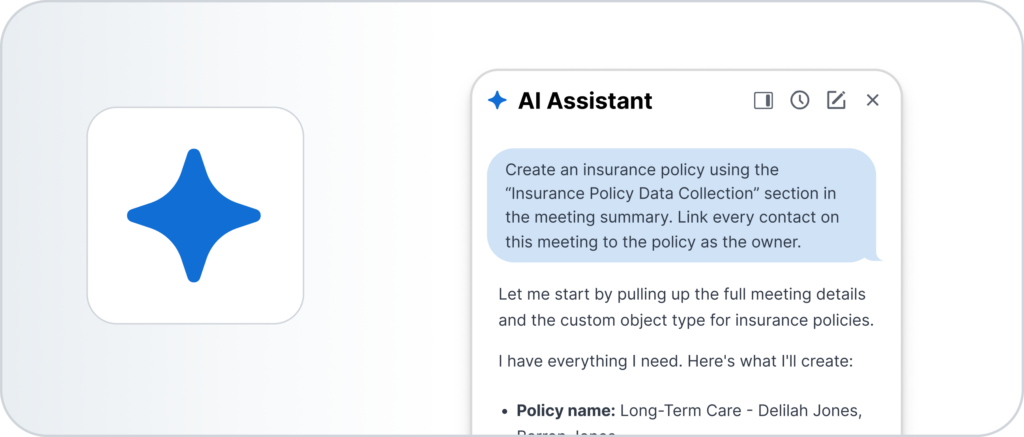
A transcript tells you what was said. A CRM record is what your firm actually acts on. For example, turning “client mentioned they added an umbrella policy” into a properly typed insurance record, ready for review, is where most advisors still lose time after every meeting.
Wealthbox closes that gap. Meeting discussions become proposed CRM updates, reviewed and approved by you before anything is saved.
Why This Works: Structure and Control
Two things make this workflow useful beyond having a good AI notetaker:
It writes to typed records. Whether it’s a Contact, an Opportunity, a Task, or a Custom Object like an insurance policy, trust, or property, the AI Assistant maps what was discussed to the actual fields your firm’s schema expects.
Nothing is written automatically. Every proposed update, whether it’s a new Contact, an updated Opportunity, or a Custom Object change, shows up as an approval card first. You see exactly what will be created or changed, and you click Approve before it touches your CRM. For a fiduciary, compliance-bound advisor, that review step builds the trust needed to give an AI system write access to client records.
Three Features, Working Together
This workflow combines three existing Wealthbox capabilities:
- AI Meeting Summaries capture the important details discussed during a meeting.
- Playbooks provide reusable prompts that tell the AI Assistant what to do with that information. To create one, simply describe the steps you want the AI to follow in chat and ask it to create a Playbook. Once it’s saved, you can launch that same Playbook anytime you want to repeat the workflow.
- AI Assistant record tools create or update CRM records after you review and approve the proposed changes.
Together, they create a simple workflow that helps eliminate manual data entry while keeping advisors in complete control.
How it Works
Step 1. Capture structured information in your Meeting Summary
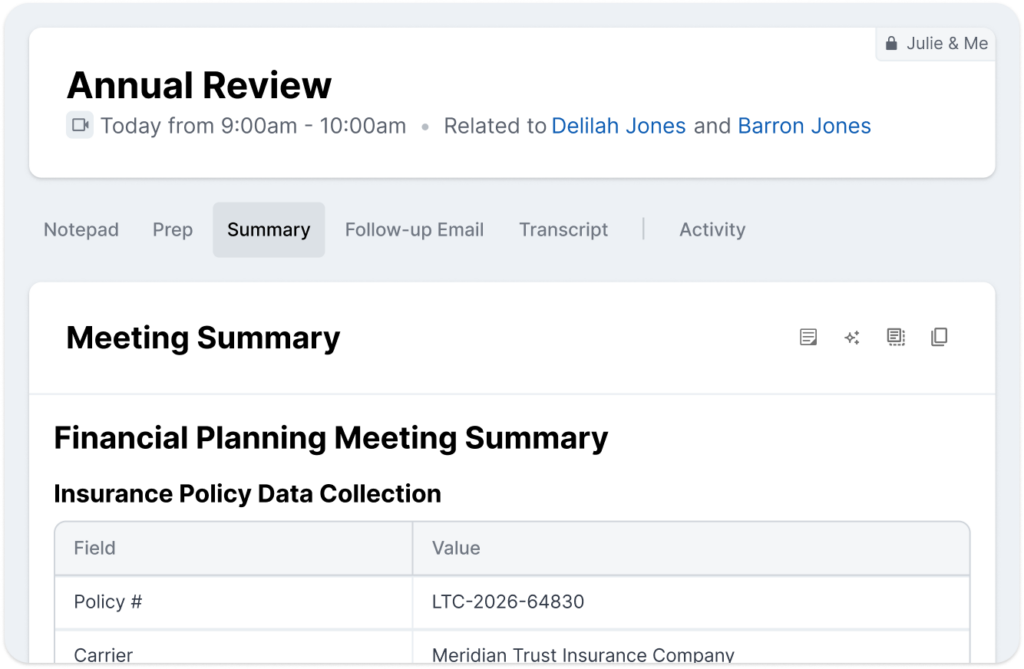
Build a Meeting Summary template that includes the fields you want to capture. This could be client details, insurance information, property information, trust information, or any other structured data your firm tracks.
The more structured the summary, the easier it is for the AI Assistant to map information to CRM fields. That template work happens once, during setup.
Step 2. Create and Launch a Playbook
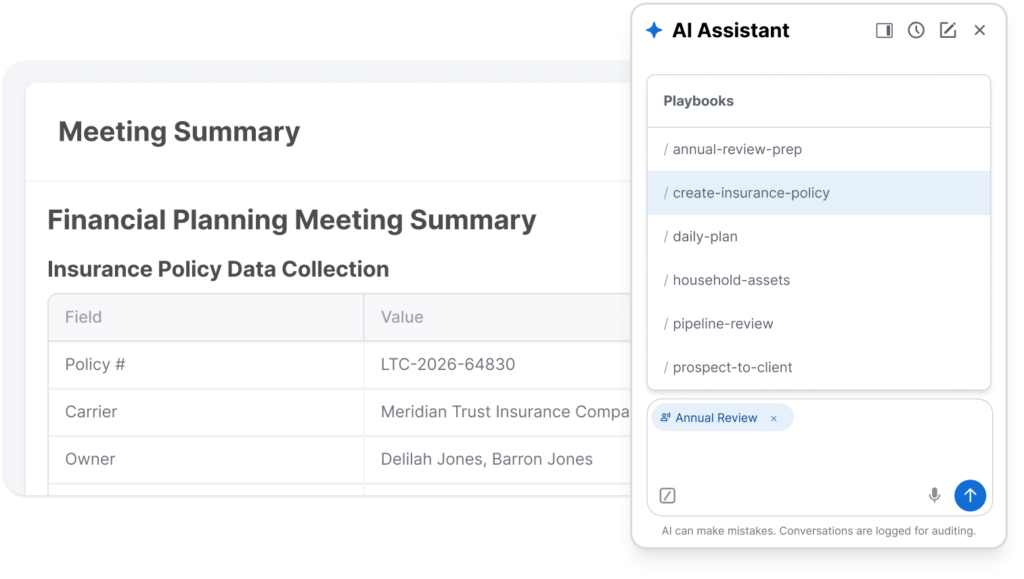
After your Meeting Summary is generated, open the AI Assistant and select the Playbook that matches this meeting type. The Playbook tells the assistant which section of the summary to read and whether to create a new record or update an existing one.
Because Playbooks are reusable, different meeting types, record types, and business processes can each have their own workflow, without rewriting the same instructions every time.
Step 3. Review the proposed update
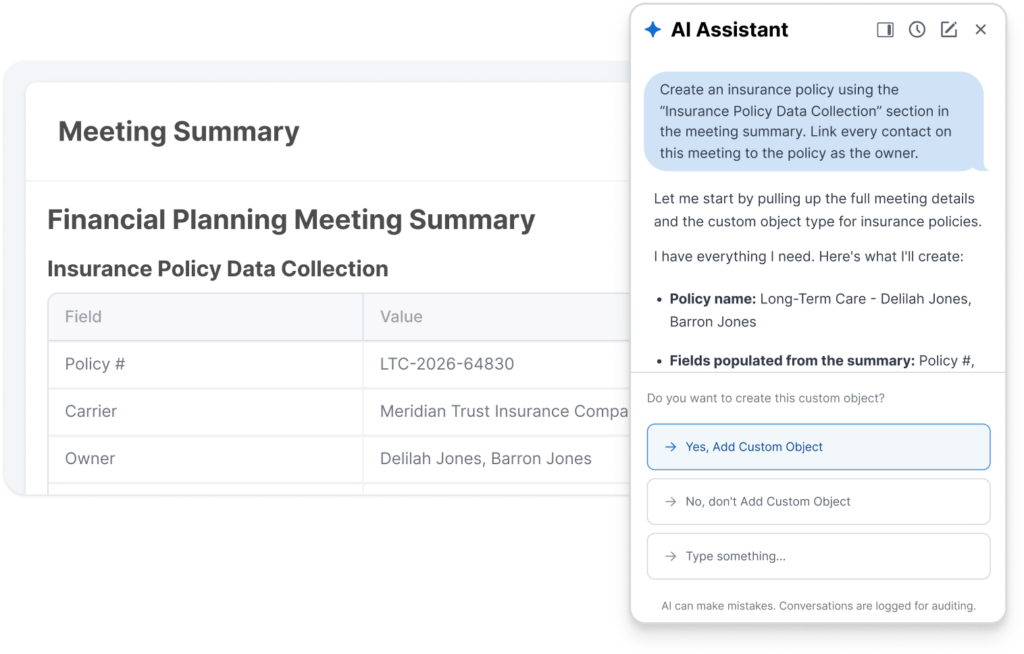
The AI Assistant reads the Meeting Summary, maps the information to the appropriate CRM fields, and prepares a proposed update.
Nothing is written automatically.
Instead, Wealthbox displays an approval card showing exactly what will be created or updated. The advisor reviews the proposed changes and clicks Approve before anything is saved.
Works Across Your Entire Workspace
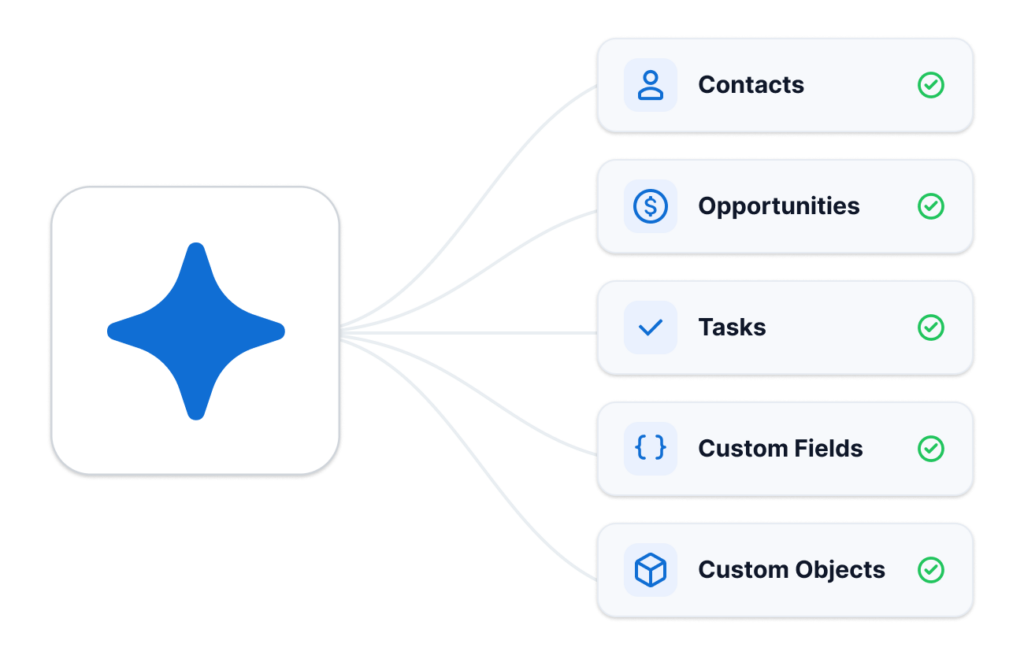
This workflow captures important information from your meeting and ensures it lands in the right place within Wealthbox. You can use this process to create or update:
- Contacts
- Opportunities
- Tasks
- Custom fields
- Custom Objects: insurance policies, trusts, properties, or any custom record your firm tracks
Wherever the AI Assistant supports record updates, this workflow can help reduce manual data entry.
One Setup, Repeatable for Every Meeting
The setup is two things, done once:
- A Meeting Summary template that captures the information your firm wants to save.
- A Playbook that tells the AI Assistant how to use that information.
After that, the workflow becomes repeatable for every client meeting.
Record the meeting, generate the summary, launch the appropriate Playbook, review the proposed update, and approve it.
Spend Less Time Updating Your CRM
Your meeting summaries already contain valuable client information.
By combining AI Meeting Summaries, Playbooks, and AI Assistant record updates, you can turn those conversations into accurate CRM updates with just a few clicks while keeping every change under your control. For more information, watch the “How to Turn Meeting Summaries into CRM Updates” video from our How-to video series.