Find the right CRM for your advisory firm.

Compare Wealthbox to other CRMs, and see how easy switching really is.

Before You Decide

What to ask before
choosing a new CRM.

Whichever way you’re leaning, these are the five questions that matter most when evaluating a CRM switch.
Question 1

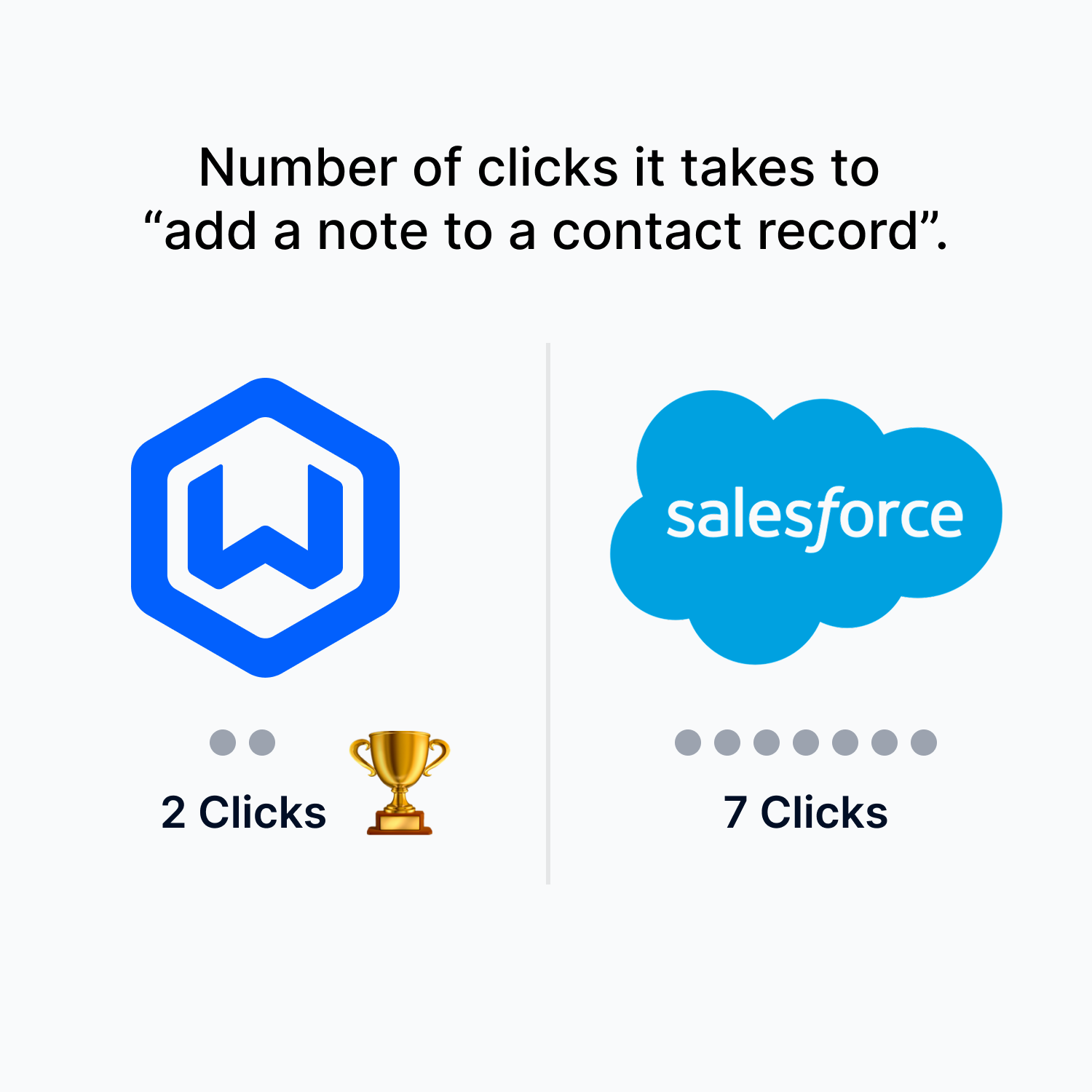
How does user experience affect productivity?

Feature lists look similar across CRMs. The real differentiator is how intuitive the software actually feels. Low adoption kills the ROI of any CRM investment, no matter how feature-rich it is.
See why Csenge switched to Wealthbox

Question 2

How painful is the data migration?

Usually the biggest objection to switching, and far easier than most advisors expect. A good vendor provides a structured process, a dedicated specialist, and a clear timeline from day one.

See how Wealthbox onboarding works

Question 3

How quickly can my team learn it?

If classroom training is required to get started, that’s a warning sign. Modern CRMs should be self-guided and intuitive, built around how advisors actually work, not generic enterprise software.

Question 4

How strong are the integrations?

Your CRM is the hub of your tech stack, so it needs to connect with custodians, planning, portfolio, and compliance tools. Single sign-on is the minimum; two-way data sync is the goal.
Browse Wealthbox’s 150+ integrations → including Schwab, Fidelity, and all major wealthtech platforms.

Question 5

What does customer support look like?

CRM is mission-critical software. You need a vendor that is ready to help when you run into an issue, and maintains a deep knowledge base to answer your questions.

Check out examples of support, including help desk, how-to videos, and knowledge base Q&A, and data migration services.

CRM Comparisons

Wealthbox vs. the alternatives

Pick your current CRM for a detailed side-by-side look at experience, features, and what switching involves.

Why Advisors Say They Switch CRMs

Comparing CRMs to make the best decision is important. Additionally, user comments we hear from advisors about why they are switching to Wealthbox are revealing.


“Clunky” and “bloated” are common descriptions by advisors about some CRMs that can tick off advisors. The user experience is poor and ultimately costly in the amount of wasted time it takes to do everyday actions in the CRM. The end result is low adoption of the firm’s CRM.
“I’m a financial advisor, not a data-entry clerk!” says an annoyed advisor when leaving an old-school, poorly designed CRM with a dreary interface. Design elegance and beauty matter in modern CRM software.
Old-school CRMs have steep learning curves, and it drives advisors crazy that training classes are required to learn them. Some CRMs even require a full-time administrator to keep them working properly. “I’d rather figure out my clients than spend time figuring out my CRM!” an advisor told us.
Many CRMs lack modern social design for advisor teams to collaborate and get work done with humanized activity streams, notifications, and even socially expressive emojis. Says one Wealthbox switcher: “My previous vendor calls their CRM product a ‘database’ and I love how Wealthbox calls its product a ‘workspace.’ That’s very telling.”
Buggy, poorly engineered CRM software that regularly crashes from server failure annoys advisors. Down time is a big time problem. “The frequent display of the ‘500 error page’ shouldn’t be part of a CRM user experience!” says one advisor, echoing the sentiment of many.
Millions of dollars have been wasted on failed implementations of CRM. Sometimes those spiffy comparison checklists of CRM features touted by vendors don’t translate well for end-users. “I should have actually used the CRM system instead of reading a checklist of features” gripes an advisor.
Beyond a CRM vendor’s pricing page, there are often unseen, expensive costs like training, administration, and extra add-ons to the product. “When you add these extra product costs, in addition to the productivity cost of low adoption in not using the CRM, it’s a serious issue!” an angry advisor told us.
Rachel Daniels

“After switching from Salesforce to Wealthbox, we got 100% CRM adoption among our advisors.”

Rachel Daniels, COO, Avidian Wealth Solutions

$5.6B AUM
70+ Users on Wealthbox
100% User Adoption

G2 User Reviews

Wealthbox is the best
CRM for advisory firms.

We could talk more about the differences between Wealthbox and CRM alternatives, but we’ll let the users speak for themselves. As you’ll see, Wealthbox is the winner.
Ease of Use
Wealthbox
9.4
Salesforce FSC
8.0
Ease of Setup
Wealthbox
8.9
Salesforce FSC
7.8
Ease of Admin
Wealthbox
9.5
Salesforce FSC
8.0
Meets Requirements
Wealthbox
9.1
Salesforce FSC
8.6
Quality of Support
Wealthbox
8.8
Salesforce FSC
8.4
Source: G2 Reviews as of July 2026

Switching to Wealthbox

Migration is simpler
than you think

The biggest objection we hear is always about switching. Here’s how Wealthbox makes it painless. Most firms are fully live within two to three weeks, whatever CRM they’re coming from.
  1. Step 1

    Your data moves

    A dedicated migration specialist handles the mapping and import of your CRM data.
  2. Step 2

    Your team onboards

    Onboarding takes a few hours, not a course. No consultants, no classroom training.
  3. Step 3

    You're live

    Full contact history, notes, and workflows intact, with a support team that’s ready to help.

Frequently Asked Questions

You can start a free trial here. After your trial, simply choose the plan that best fits your needs.
If you’re just getting started, our Basic plan covers essential CRM needs. For most advisory firms, the Pro plan offers the best value with workflows, email sync, and broadcast email. Power users who need customizable dashboards and advanced features should consider Premier.
Migrating your data to Wealthbox is fast – and easy! Wealthbox has the team and tools to make your CRM switch truly simple. It’s a secure and well-honed migration process that includes an assigned specialist who is there every step of the way. Learn more.
Yes, you can upgrade or downgrade your plan at any time. Changes take effect at the start of your next billing cycle.
If you are the “account owner” or “admin” of your account, you can access your purchase history, invoices, payment details, plan type, and more in the Billing section.
Wealthbox is a SOC 2 Type II-certified organization that meets the highest standards of security to ensure your account and data are safe. We use bank-level security and 256-bit encryption to safeguard data and we have a range of extra security features, like session time-out, and two-factor authentication.
Yes, Wealthbox provides a companion mobile app – with the highest ratings from advisors of any wealthtech CRM – that is available to download for Apple iOS and Android devices. The Wealthbox mobile app is fully synced with your web-based Wealthbox account.

Upgrade to Wealthbox

Get a personalized demo of Wealthbox.