
Osaic eQuipt Integrates with Wealthbox to Reduce Duplicate Client Data Entry
November 16, 2026 · 3 min read

We’re excited to announce a new integration with Osaic, one of the nation’s leading broker-dealers, connecting Wealthbox with Osaic’s eQuipt platform. The integration helps financial advisors reduce duplicate data entry by moving client profile information between the two systems in a few clicks.
Osaic advisors keep client profiles in both eQuipt and Wealthbox. Now you can send updates from one system to the other instead of entering the same details twice.

Tom Ocheltree, VP, Digital Solutions at Osaic
“Our integration with Wealthbox helps advisors spend less time on manual data entry and more time building meaningful client relationships,” said Tom Ocheltree, VP, Digital Solutions at Osaic. “By connecting client information across eQuipt and Wealthbox, we’re making everyday workflows simpler and more efficient.”
“Osaic advisors shouldn’t have to choose between their firm’s platform and the CRM they run their practice on,” said Steve Carroll, Head of Product at Wealthbox. “This integration moves client information between eQuipt and Wealthbox, and the advisor stays in control of exactly what updates.”

Steve Carroll, Head of Product at Wealthbox
How it works
The integration between Osaic’s eQuipt platform and Wealthbox lets you run an on-demand sync of important client information, reducing manual data entry and simplifying daily workflows.
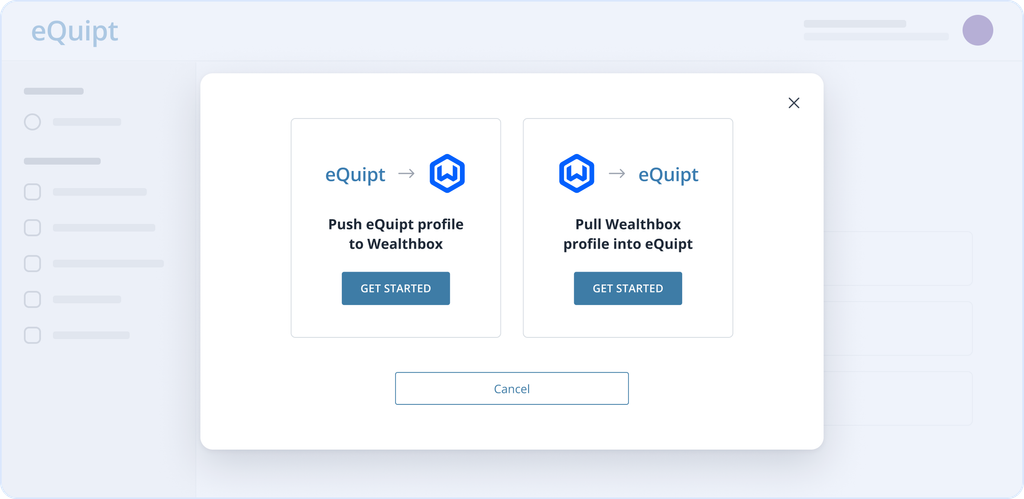
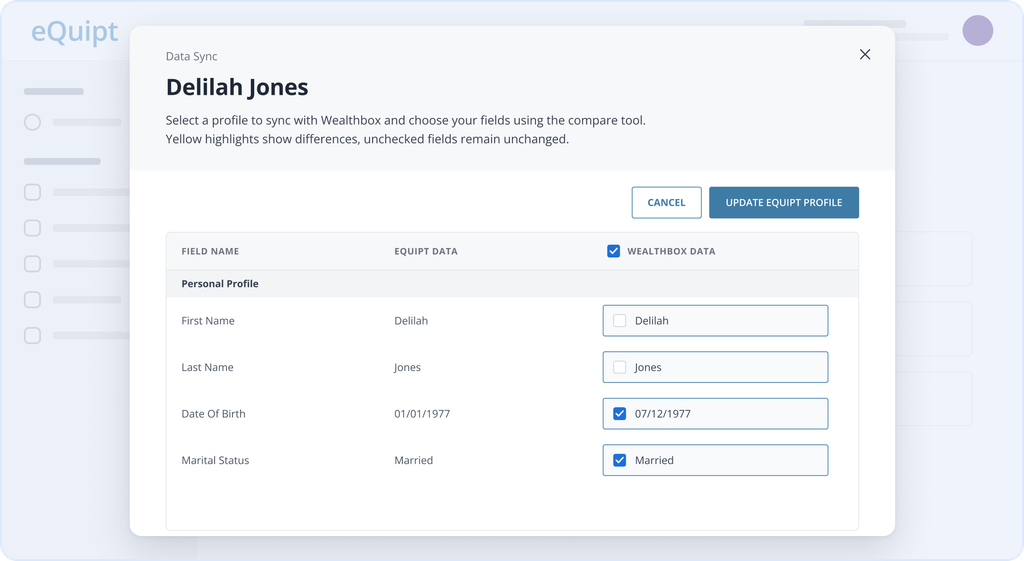
From eQuipt, you can push a client profile into Wealthbox or pull a Wealthbox profile into eQuipt. Before anything updates, a side-by-side view highlights where the two records differ, and you choose which fields to update. Anything you leave unchecked stays as is.
Availability
The integration is available to Osaic-affiliated advisors with a Wealthbox account. You connect the two from within eQuipt; see the Data Syncing Guide below for setup steps.
Learn more
- Integration Page: Learn more on the Osaic + Wealthbox integration page and share with coworkers.
- Getting Started: Review the Wealthbox and eQuipt Data Syncing Guide for instructions on connecting the platforms.