
New in Wealthbox: Dynamic Filters for Reports
June 13, 2024 · 3 min read
We’re excited to introduce a new feature to Wealthbox that enhances reporting capabilities. As part of our ongoing efforts to provide you with more flexibility and control, we have added two new dynamic filters to our reports: Report Viewer and Report Viewer’s Teams. These filters are designed to bring personalized insights directly to your reporting, making your Wealthbox experience even more analytical and efficient.
What’s New?
The Report Viewer and Report Viewer’s Teams filters allow you to create reports that display data specific to the user viewing them rather than showing data for all users or a specific user.
Key Features
-
- Report Viewer Filter: This filter customizes the report to show data relevant to the user viewing it. For instance, if you create a “My Overdue Tasks” report and set it to show the Report Viewer’s overdue tasks, you will see your overdue tasks when you view the report. When another user views the same report, they will see their overdue tasks.
- Report Viewer’s Teams Filter: This filter extends the dynamic capability to teams, allowing you to build reports that display data specific to the teams of the user viewing the report. Just like with Report Viewer, this filter will show all items related to the teams the user is a part of when they run the report.
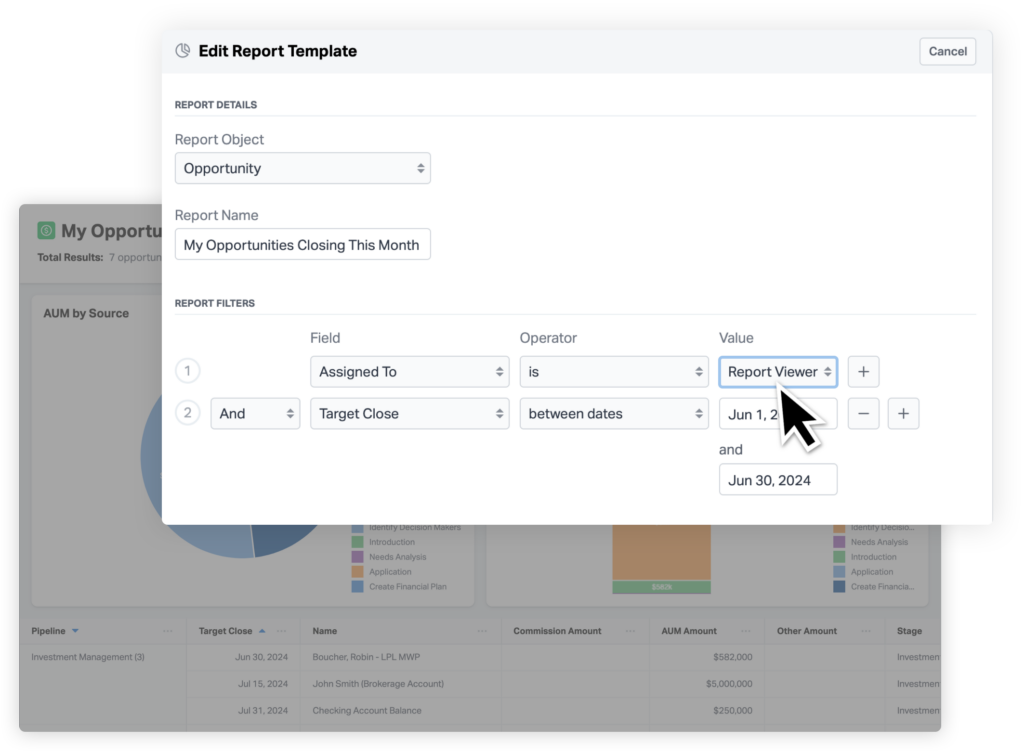
Here’s an example of how these dynamic filters can be used:
-
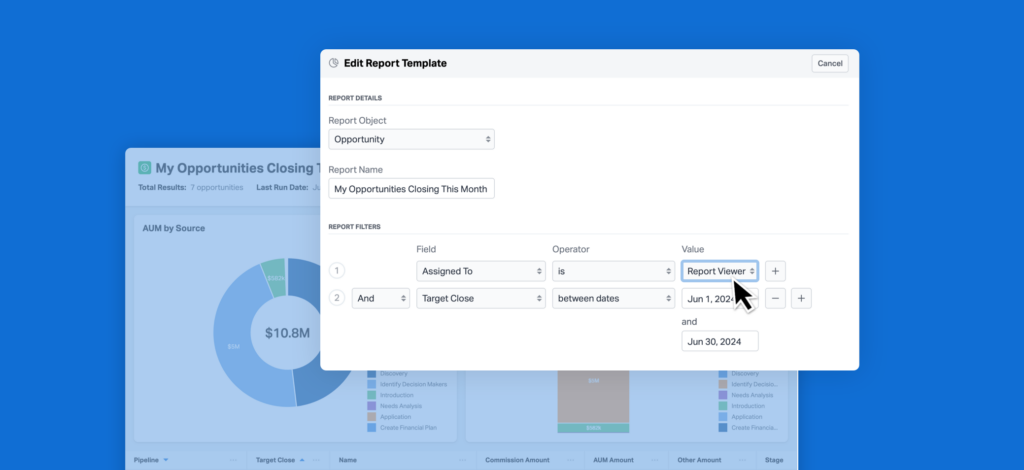
- Personalized Reports: Create a report for “My Opportunities Closing This Month” and set the visibility to “Everyone.” Users who run this report will only see opportunities for which they are responsible for closing within the month.
- Team-Specific Insights: Build a report for “My Team’s A-list Clients.” When a user runs this report, they will see all data pertinent to all the teams they are a member of.
Benefits
-
- Enhanced Personalization: View data that matters most without sifting through irrelevant information.
- Improved Efficiency: Quickly access personalized reports that provide immediate insights into your tasks, opportunities, and client management.
- Consistent User Experience: Using “Viewer” in reports and dashboards creates a seamless and intuitive experience.
- Increased Team Productivity: Anyone in the workspace can now create reports other team members can use that will automatically adjust to show relevant data for each user.
How to Use
Adding these dynamic filters to your reports is simple. Here’s a quick look at the new options in the report filter menu for “Assigned To”:
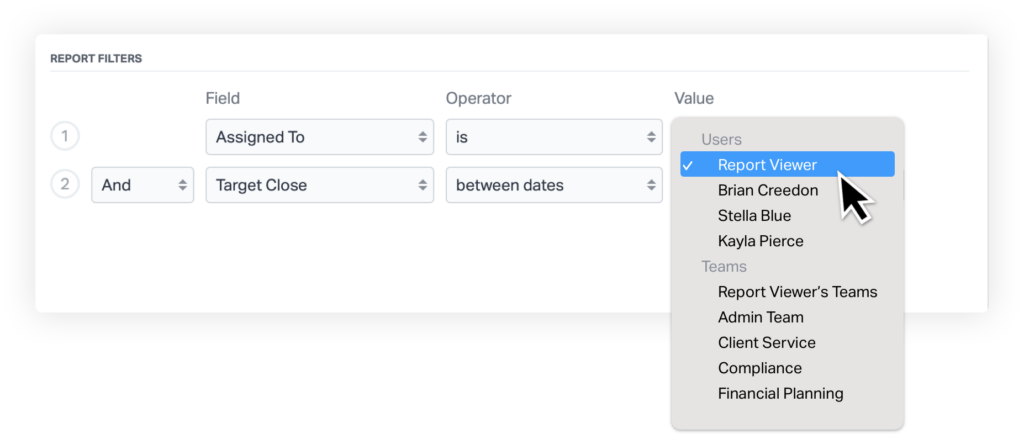
We believe these new dynamic filters will significantly improve how you and your team run reports, making your workflow smoother and more personalized.
Stay tuned for more updates and features as we continue to enhance your Wealthbox experience.